Using ChatGPT for Interior Design Help


Updated September 29, 2025
Ever wonder if ChatGPT can actually help with interior design? Since moving into our latest fixer-upper, I’ve had ideas for every room. ChatGPT has been a game-changer, helping me create realistic renderings, test layouts, and explore styles before I commit. In this post, I’ll show how I use ChatGPT to design our home and share the tips that make it work.
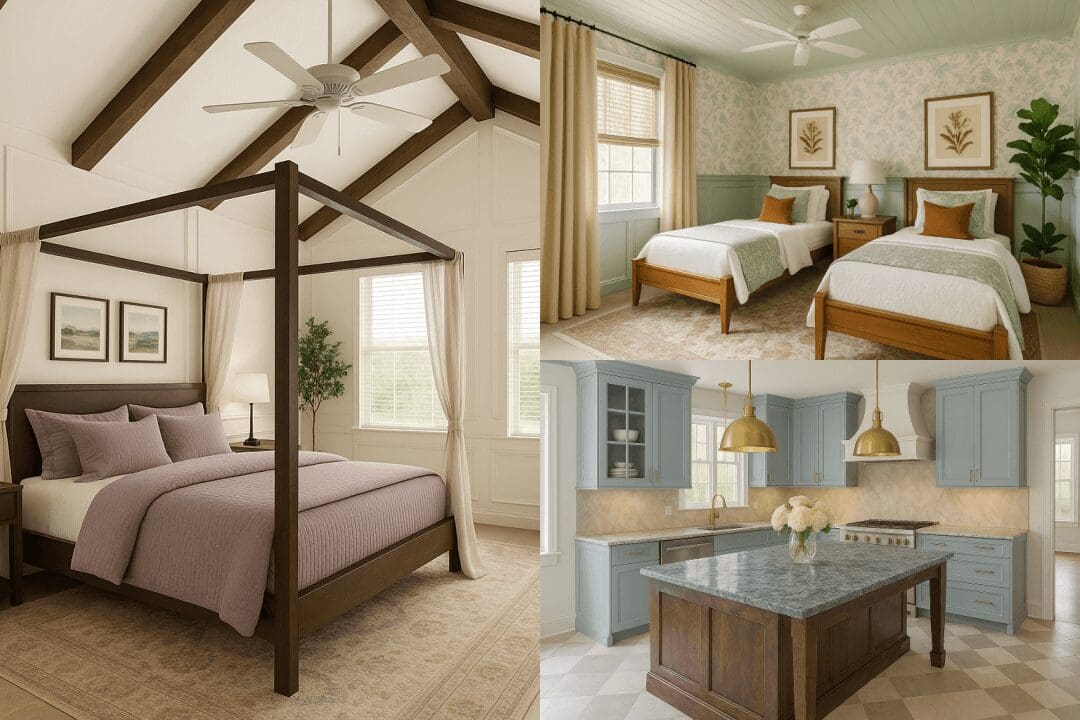
Table of Contents
- How to Use ChatGPT for Interior Design
- Step 1: Upload a Photo to ChatGPT for Interior Design
- Step 2: Refine the ChatGPT Room Design
- Tips for Using ChatGPT for Interior Design
- Tip 1: Let ChatGPT Learn Your Interior Design Style
- Tip 2: Be Specific With Interior Design Prompts
- Tip 3: Decide Your Interior Design Style First
- Tip 4: What to Do When ChatGPT Ignores Instructions
- Tip 5: Start a New Chat for Each Room Design
- Tip 6: Be Patient With ChatGPT Image Generations
- Tip 7: Use ChatGPT Plus for Interior Design Images
- Tip 8: Use ChatGPT as an Interior Design Assistant
- My Experience Using ChatGPT for Interior Design
- Video Walk-Through of My ChatGPT Room Designs
- 📌 Save This Post for Later
- FAQ: Using ChatGPT for Interior Design
How to Use ChatGPT for Interior Design
Step 1: Upload a Photo to ChatGPT for Interior Design
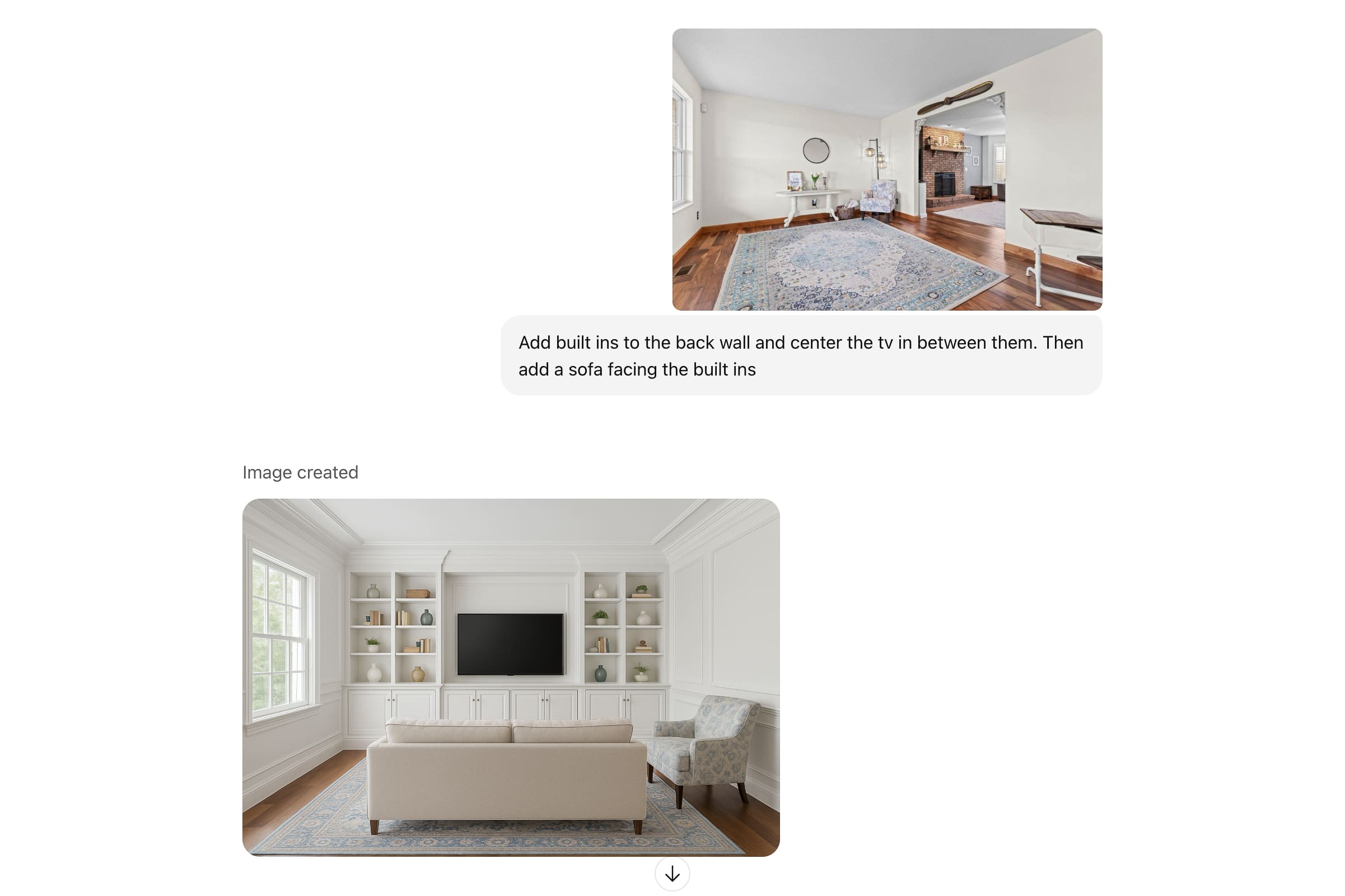
’ll show you step by step how I used ChatGPT to visualize my sitting room. Start by uploading a clear photo of your room, then tell ChatGPT what you want to see.
For my sitting room, I told it:
“Add built-ins to the back wall and center the TV in between them. Then add a sofa facing the built-ins.”
The image it generated was a solid starting point, but it wasn’t perfect.
Step 2: Refine the ChatGPT Room Design
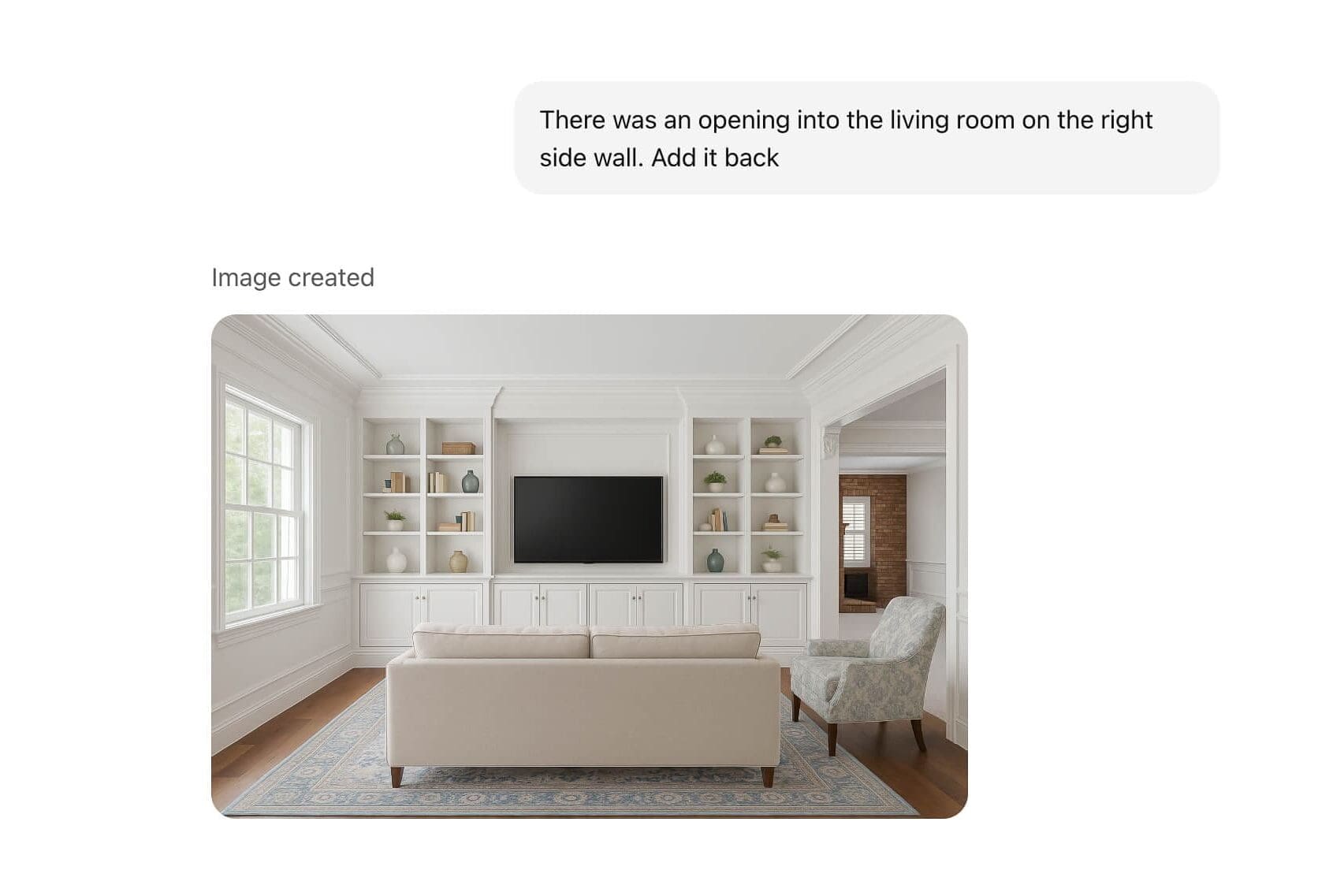
One of the first things I noticed when using ChatGPT for the interior design of my sitting room, is that it completely removed the opening on the side that leads into our dining and kitchen area. I asked for it to be added back in, and just like that, we were off to a better start.
From there, I began layering in more requests. I asked for different paint colors, molding on the walls and ceiling, and even a coffered ceiling.
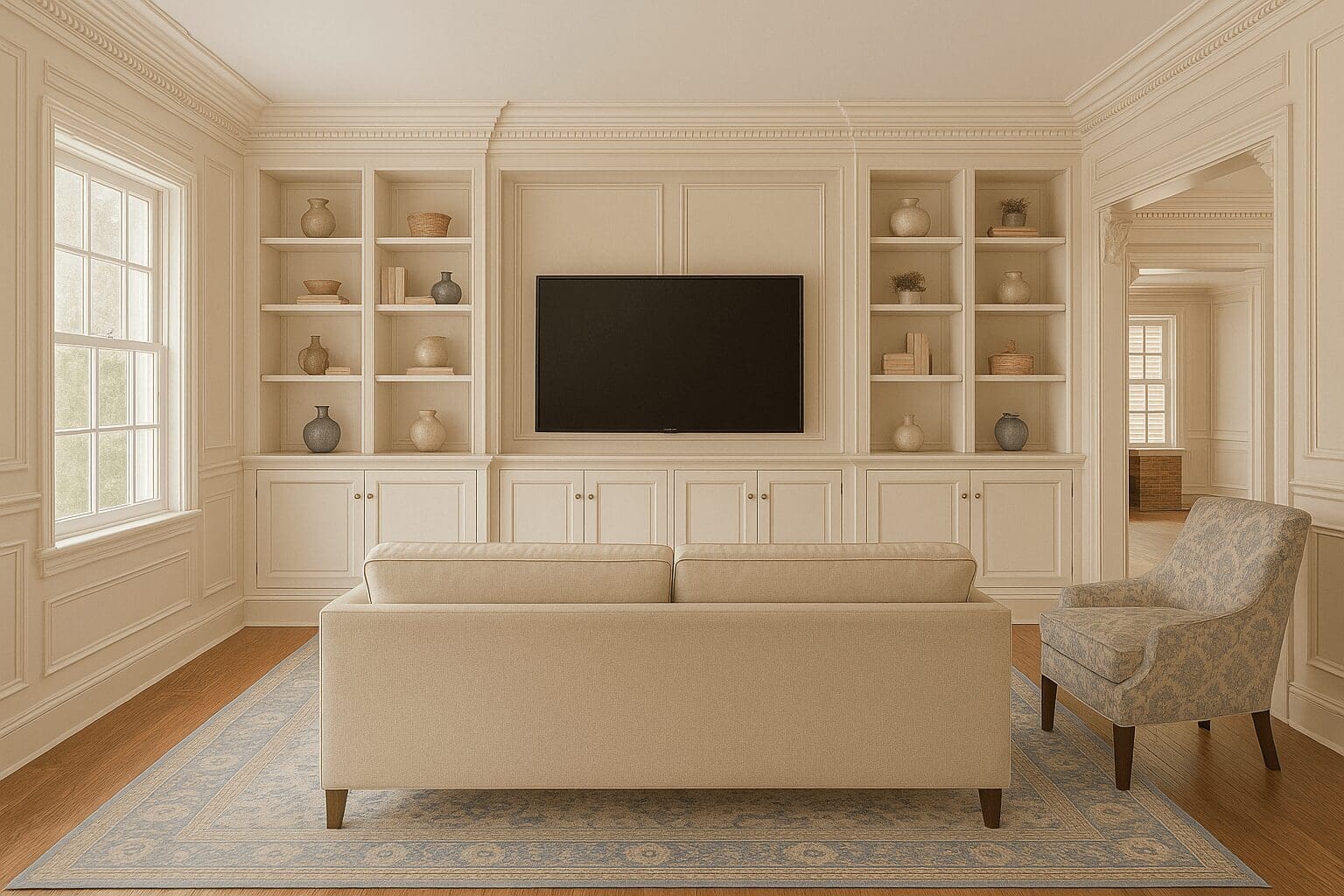
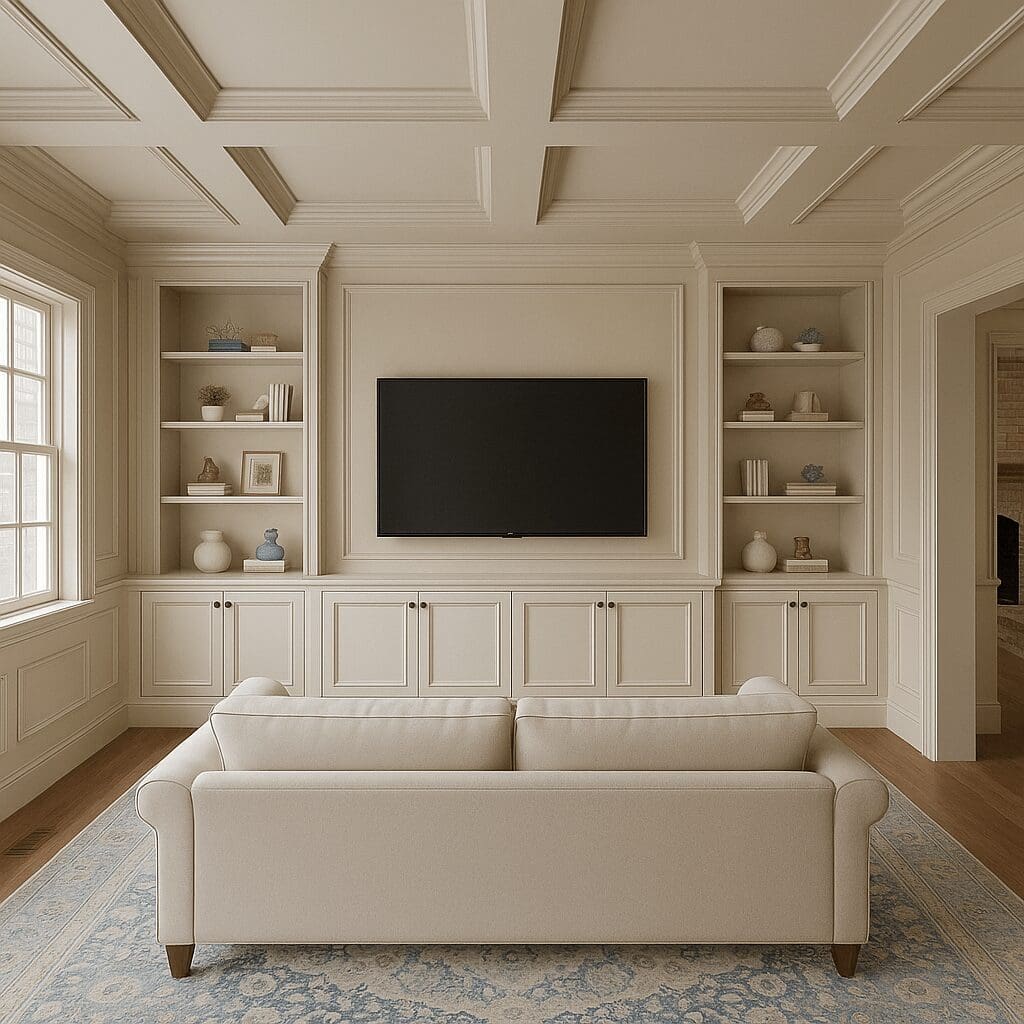
Over a series of prompts, I was able to get ChatGPT to rework the interior design plan. One request at a time, I added details like recessed lighting, gold accents, an olive tree, and modern chairs. I also asked for the room to lean into a Rejuvenation-inspired style.
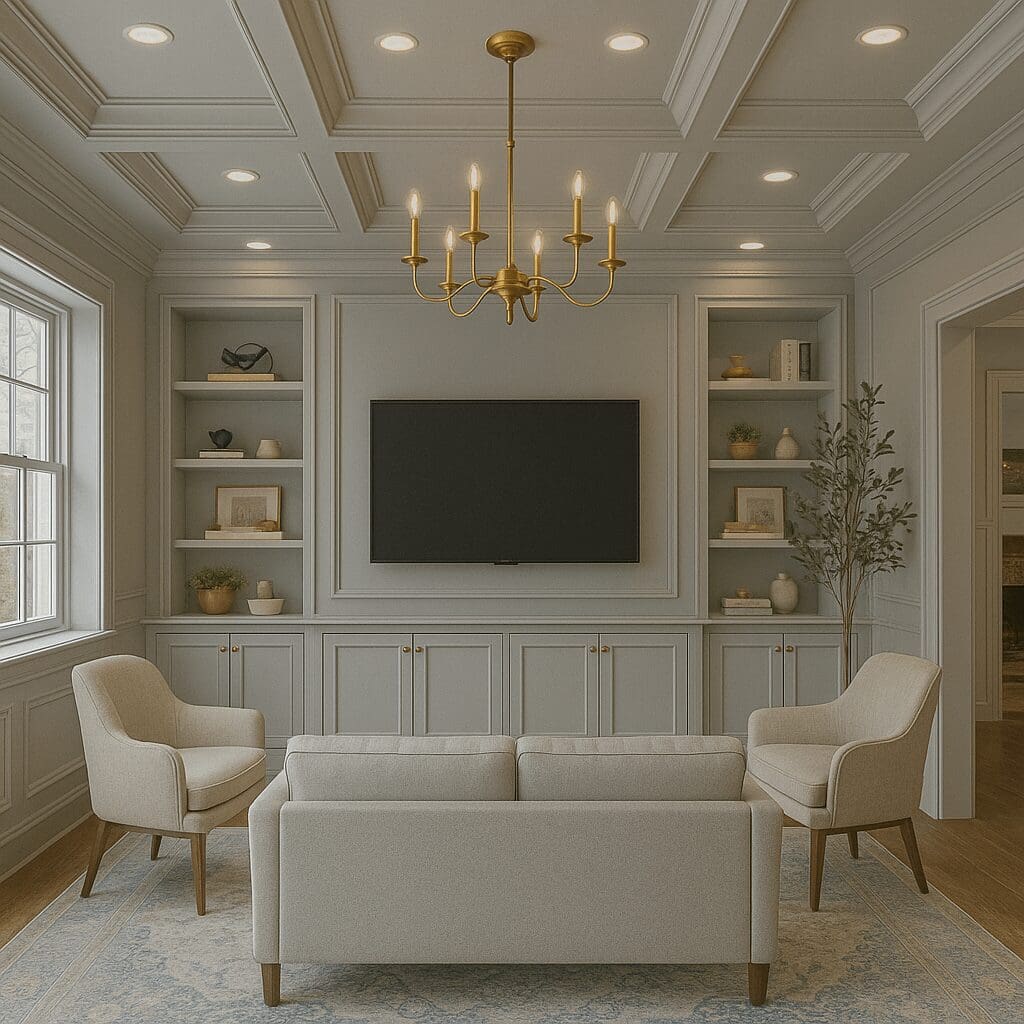
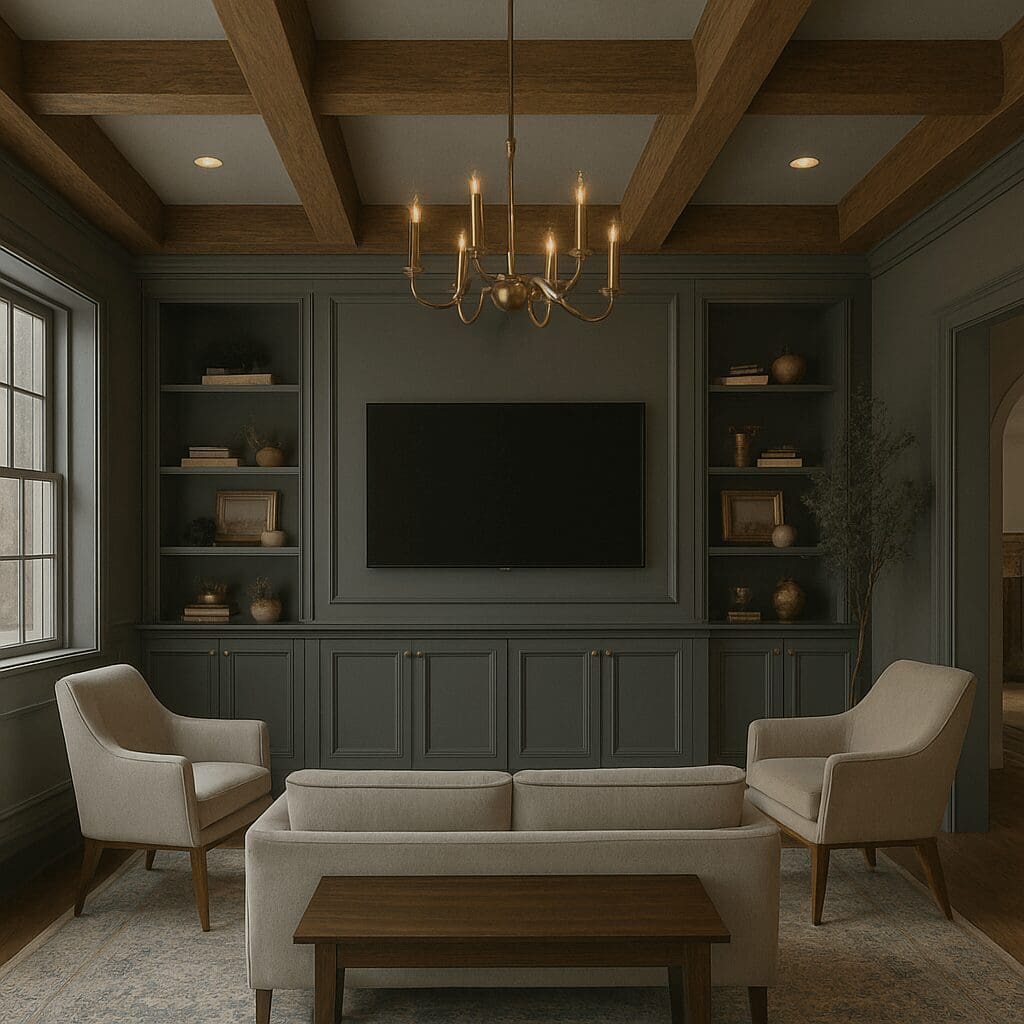
Eventually, I swapped the coffered ceiling for darker wood beams and requested a moodier color for the walls and the built-ins. ChatGPT was getting really close to my interior design vision here!
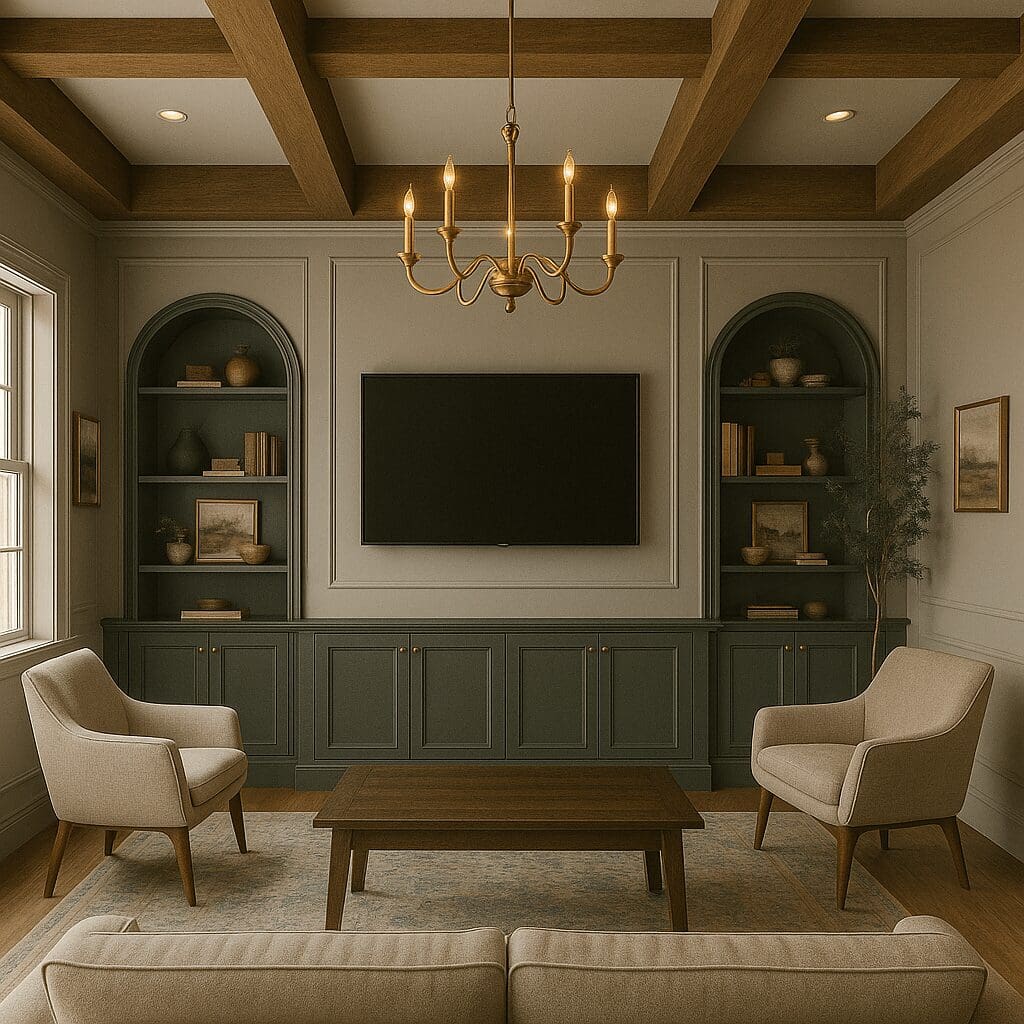
My last tweak was asking for the walls to be a lighter paint color while keeping the built-ins dark and making them a more interesting shape. That’s when the room design finally clicked and felt like “me.”
Tips for Using ChatGPT for Interior Design
Using ChatGPT for interior design comes with a bit of a learning curve, but once you get the hang of it, it’s so much fun. Here are a few tips I’ve learned along the way that can make designing your home with ChatGPT a whole lot easier.
Tip 1: Let ChatGPT Learn Your Interior Design Style
The more you use it, the better the results. I’ve been experimenting with designs on our house for months, so ChatGPT has picked up on the styles I lean toward. My very first attempts were basic and not my vibe at all. But as Chat GPT learned my style, and I refined my prompts, the results improved dramatically. You can see a screenshot of my very first attempt at the sitting room below… um boring!
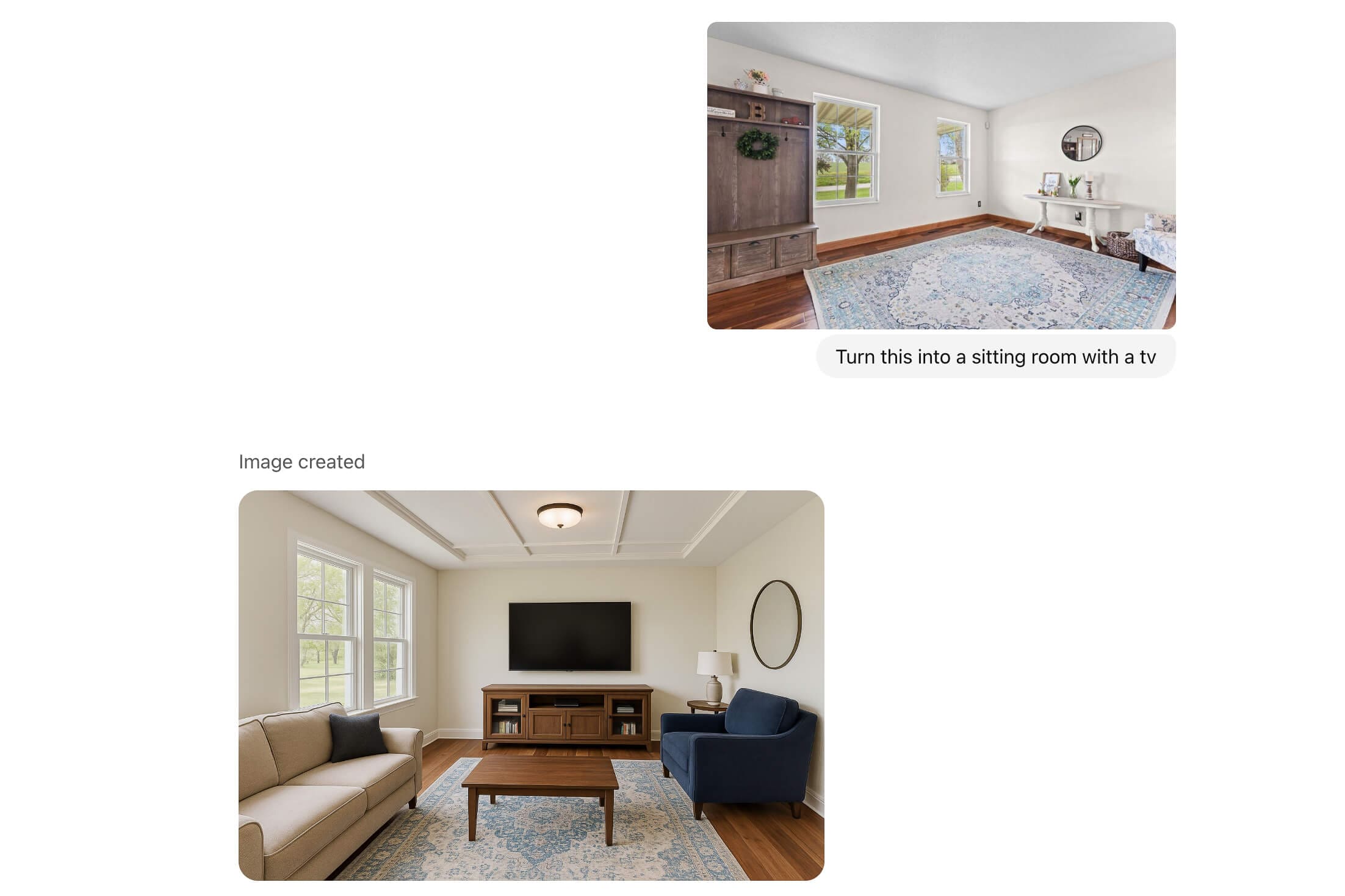
Tip 2: Be Specific With Interior Design Prompts
If you say “turn this into a sitting room with a TV,” you’ll get a generic design. Be specific about style, colors, furniture placement, and overall vibe for better results.
Tip 3: Decide Your Interior Design Style First
You don’t need to be an interior design pro to use ChatGPT, but you should have some kind of idea of what you’re looking for. Just as a demonstration for this blog post, I tested out different styles in my sitting room just for fun. Starting on the upper left and working clockwise, I told ChatGPT to go with cozy masculine, modern farmhouse, colorful boho, and minimalist Scandinavian.
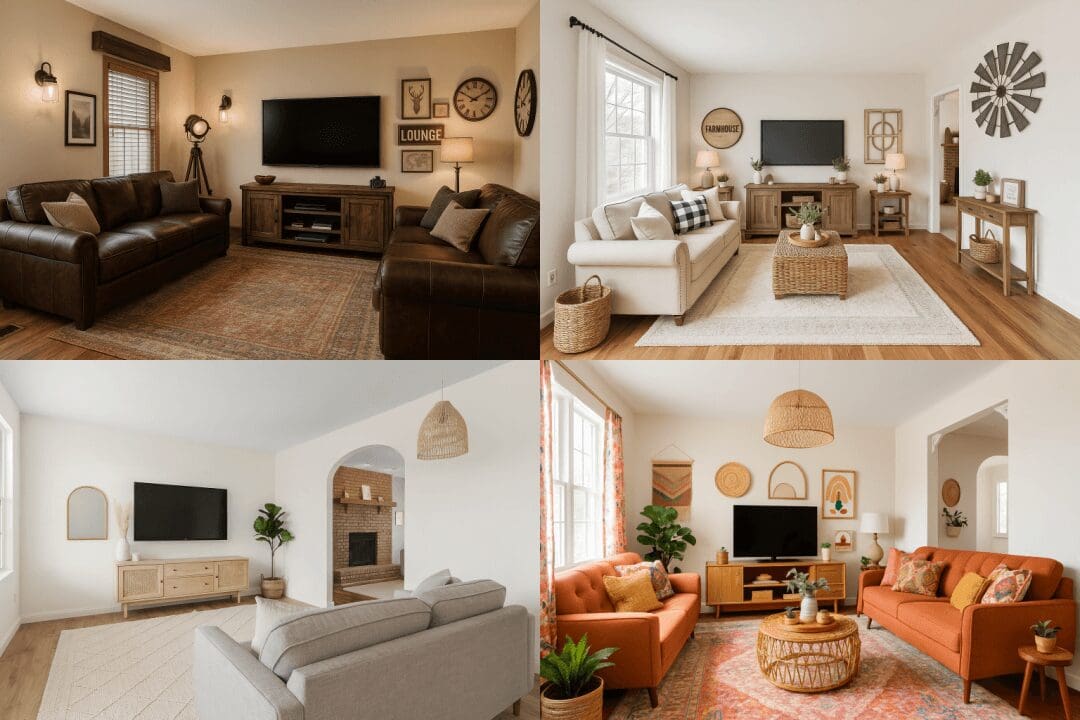
Each interior design that ChatGPT came up with had some quirks, like moving/changing/deleting the opening on the right, or a couch not being where I wanted it. But they give you a jumping-off point for refining and tweaking based on your personal style and preferences.
Tip 4: What to Do When ChatGPT Ignores Instructions
In the sample photos from Tip 3, I asked for the sofa to face the TV, but it only placed the sofa where I wanted it in one out of the four designs. ChatGPT will change room dimensions, miss doors and windows, or just flat-out ignore my requests. You can try again, rephrase your request with more details, or sometimes it’s best to just start fresh when it totally refuses to cooperate. You can also ask ChatGPT why it’s not doing what you’re requesting.
Tip 5: Start a New Chat for Each Room Design
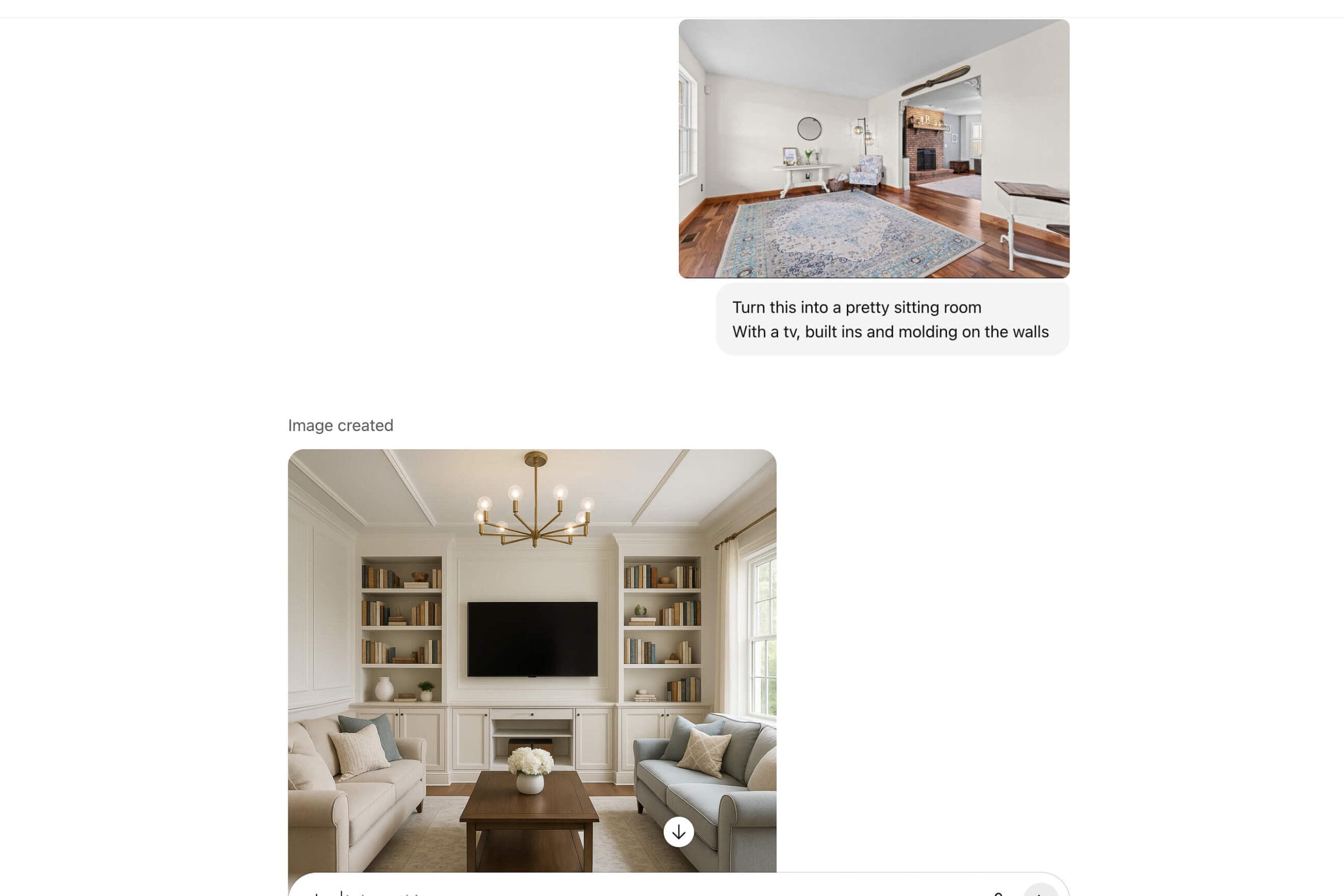
Here’s an example from when I uploaded a photo of the sitting room into the same thread where I had already been working on my homeschool room. ChatGPT ignored the sitting room photo and just redesigned the homeschool room, following the prompts I was asking to be implemented in the sitting room. Opening a new chat for each space avoids this type of confusion.
Tip 6: Be Patient With ChatGPT Image Generations
This isn’t fast or a one-and-done process. Each image takes a couple of minutes to generate, and you usually can’t change more than one thing at a time without confusing ChatGPT. For my sitting room, it took over 20 versions to get from the first upload to the final design I loved.
Tip 7: Use ChatGPT Plus for Interior Design Images
The free version only allows three image generations per day, which makes the process painfully slow. It would’ve taken me a week to slowly design my sitting room. For $20/month, the Plus version gives you 50 images every three hours, which is so much more practical if you’re actively working on designs. (Occasionally, even with Plus, if the servers are busy, you may have to wait two or three minutes, but that’s it.)
Tip 8: Use ChatGPT as an Interior Design Assistant
ChatGPT can do so much more than just images. Ask it for styling ideas, ways to make a room cozier, or where to buy the furniture in the images it generates. It’s not just a visual tool. It can be a great shopping and brainstorming partner, too.
My Experience Using ChatGPT for Interior Design
Using ChatGPT for interior design has completely changed the process of decorating our new home. Instead of guessing how a paint color, wallpaper, or built-in will look, I can see a visual rendering first and tweak it until I’m happy.
It’s not perfect (sometimes it ignores instructions or takes a few tries), but with patience and specific prompts, ChatGPT is an incredibly powerful tool for homeowners who want to explore their style before committing.
If you’ve ever wished you could “try on” a room design before making it real, I can’t recommend experimenting with ChatGPT enough.
Video Walk-Through of My ChatGPT Room Designs
Want to see the artistic renderings for the rest of the house? I filmed a full video walk-through of our new house, where I share all the before shots along with the ChatGPT designs I created for each room. In the video, you’ll be able to see the side-by-side transformations and get a clear picture of how these ideas can translate into a real-life house. Check it out here – New House Tour: A First Look at Our Fixer-Upper.
📌 Save This Post for Later
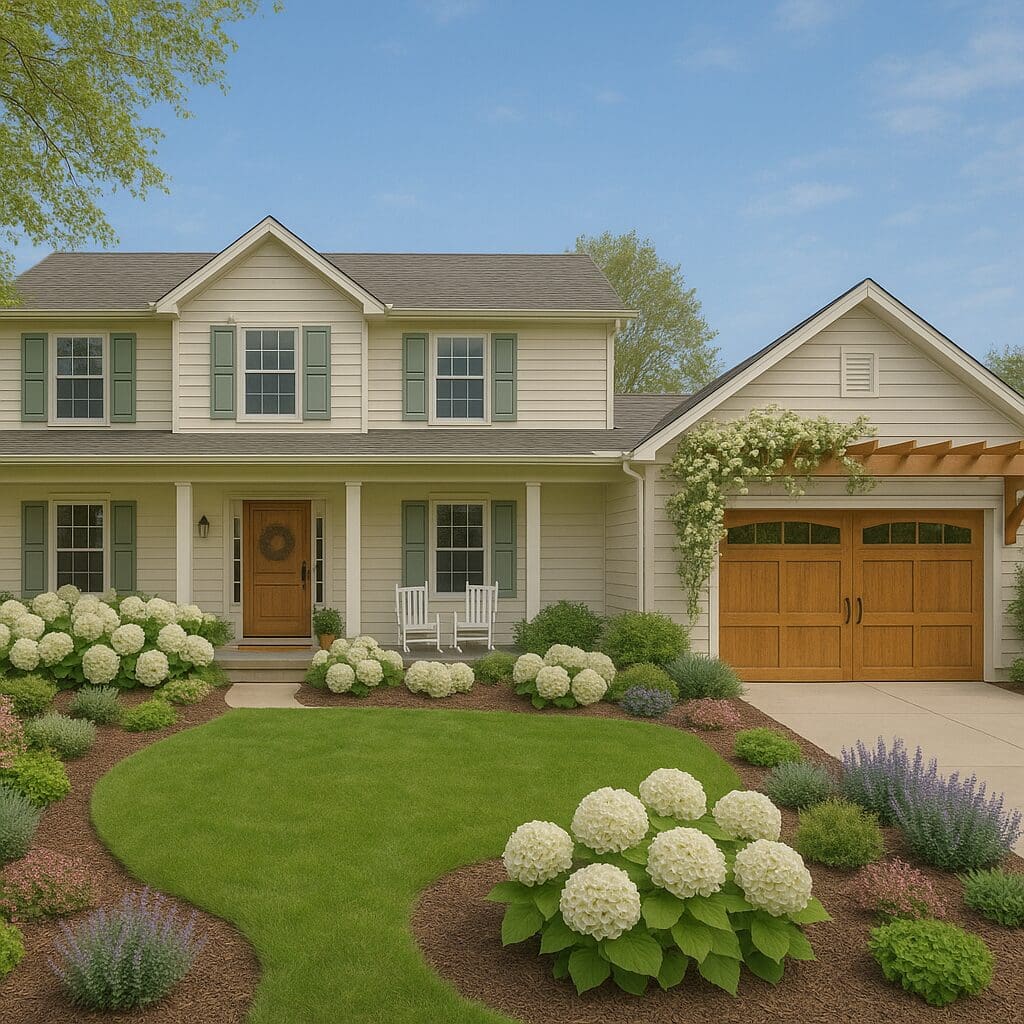
Pin now and come back anytime you want tips on using ChatGPT for interior design!
FAQ: Using ChatGPT for Interior Design
You can upload a photo of your room and ask ChatGPT to generate design renderings based on your prompts. From paint colors to furniture layouts, it’s a helpful way to play around with a design and visualize your ideas before committing.
Yes! ChatGPT can quickly give you multiple room styles, color palettes, and layouts to spark inspiration. It won’t always be perfect, but it’s a great starting point for exploring options.
The free version only allows three image generations per day, which makes the process slow. ChatGPT Plus gives you 50 images every three hours, making it much easier to experiment with room designs.
Not at all. Anyone can use ChatGPT for room design. Having a general idea of what you like helps, but the tool is designed to make the process easy and accessible for beginners too.
ChatGPT sometimes ignores instructions, moves doorways or windows, or places furniture incorrectly. It often takes multiple prompts and adjustments to get a rendering that feels accurate to your space.
